Monitors & alerts
A monitor watches one tracked gage and sends an email when its condition is met. Two kinds exist: threshold monitors, which fire on a level you set, and anomaly monitors, which fire on statistical departures with no level required. Monitors are part of paid plans.
Threshold monitors
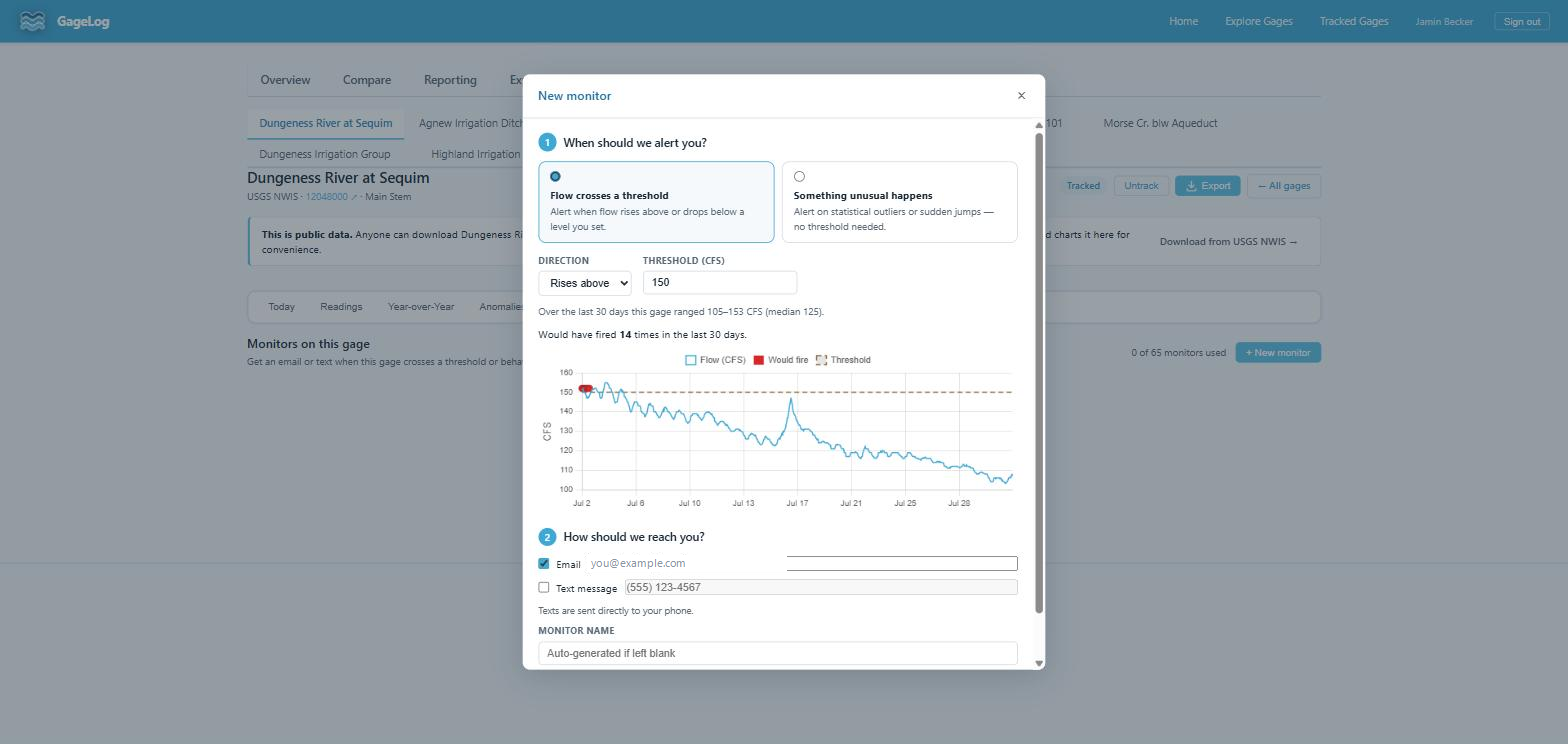
Fire when flow crosses a level, in the direction you choose — above for flood or release watch, below for low-flow compliance or drought triggers. The wizard suggests a starting threshold from the gage's recent range (its last-days minimum, median, and maximum) and backtests your choice: before you save, it reports how many times the monitor would have fired over the last 30 days. A monitor that would have fired daily is usually set too close to the median.
Anomaly monitors
Fire on the same two detectors as the Anomalies tab: z-score outliers against the trailing 30 days, and step changes beyond a percent threshold. Use them when you care about "something changed" rather than a specific level — sensor faults, unscheduled releases, debris events.
How firing works
- An alert is sent when a reading enters the condition.
- The monitor then stays quiet until flow leaves the condition and re-enters it — you get the crossing, not every reading beyond it.
- A per-monitor cooldown bounds how often a restless gage can page you.
Each alert states exactly why it fired: the reading, the time, and the condition it met.
Operational notes
- Monitors evaluate as new readings are ingested, so alert latency is bounded by the source's publish cadence — see Data sources. A source that publishes hours behind cannot alert in real time.
- Monitors attach to tracked gages; untracking a gage pauses its monitors.
- Plan tier sets how many monitors can be armed at once.